
You want a camera on your gate, your shop counter or your farm shed, and the shop tells you to pick a side: wireless or wired. Both work, but they fail in different ways, and in Pakistan the difference usually shows up during load shedding or a weak Wi-Fi corner.
This post settles the wireless cameras vs wired question on the things that actually decide it here: power, network strength, cabling cost and upkeep.
Wireless cameras vs wired: which is better for a home in Pakistan?
Wireless cameras are better when you cannot run video cable, and they suit rented homes, shops and gates. Wired cameras are better for long, stable runs and heavy load-shedding areas because power and data stay on one cable. For most homes in Pakistan, a Wi-Fi camera on a small UPS is the practical first buy.
What is the real difference between wireless and wired cameras?
Wireless cameras send video over Wi-Fi and need only a power point. Wired cameras send video over a cable, usually coaxial for HD analog or Ethernet for IP, and that cable also carries power on PoE systems.
The word wireless is a little misleading. Almost none of these cameras run on a battery for weeks. They are cable-free on the video side, not the power side. So the real comparison is this:
- Wireless: one power adapter per camera, video over your Wi-Fi router, recording to a microSD card or a cloud plan.
- Wired: a cable from each camera back to a recorder or switch, video and often power on that same cable, recording to a hard drive.
That single difference drives everything else: installation cost, reliability during load shedding, and how much maintenance you do in year two.
Wireless cameras vs wired: side-by-side comparison
The table below compares the two approaches on the factors that matter for a Pakistani home or shop. Product rows use the Imou models stocked at College Road Electronics.
| Factor | Wireless (Wi-Fi) cameras | Wired cameras |
|---|---|---|
| Cabling needed | Power adapter only | Video cable to recorder, plus power or PoE |
| Installation effort | Low, one power point per camera | Higher, drilling and cable routing |
| Load shedding | Camera drops with the router unless both are on a UPS | Recorder and cameras on a UPS keep working |
| Signal risk | Depends on Wi-Fi strength and interference | Stable over long cable runs |
| Recording | microSD card in camera, or cloud | Hard drive in the recorder |
| Adding a camera later | Buy one unit, pair it to the app | Run a new cable to the recorder |
| Best fit | Homes, rented flats, small shops, gates | Large buildings, long perimeters, farms |
For a closer look at the wireless options, browse the Wireless Cameras category.
How does load shedding affect wireless cameras in Pakistan?
Load shedding hits wireless cameras harder, because two devices must stay alive: the camera and your Wi-Fi router. If the router dies, the camera is still recording to its card but you cannot watch it on your phone.
Wired IP systems have the same router problem if you view remotely, but a recorder with a hard drive keeps recording locally no matter what the internet does. A few practical points:
- Put the router and the camera’s power adapter on the same small UPS. That single step fixes most wireless complaints.
- Choose cameras that record to a microSD card, so footage continues even when the network is down.
- Check the camera’s power rating before you size the UPS. The Imou Cruiser Z runs on DC 12 V 1 A at under 12 W, which is light for a small UPS.
- If your area has long outages, a wired setup with a recorder on UPS is the calmer choice.
Which is more reliable for home security?
Wired is more reliable over years, wireless is more reliable over a weekend. A cable does not lose signal when the neighbour’s router floods the channel or when the microwave runs.
That said, a well-placed Wi-Fi camera on a clean 2.4 GHz network is dependable enough for most homes. Reliability problems usually come from three things, not from the camera itself:
- Weak Wi-Fi at the camera position, especially through double brick walls.
- Too many devices on one cheap router.
- Power adapters on an extension board that gets switched off.
Fix those and a wireless camera will run for years. If you cannot fix them, wired wins.
What are the installation costs of each option?
Wireless is cheaper to install because there is no cable to buy, route or conceal. Wired costs more up front, mostly in cable, conduit and labour, but the recorder and hard drive give you central storage.
For a rough sense of hardware cost, here are three Imou wireless cameras in stock now:
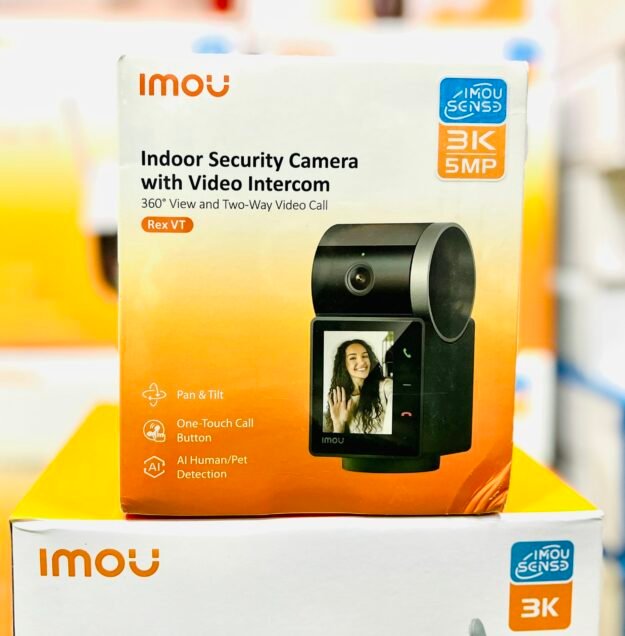
- Imou indoor security cameras with video intercom 5MP 3K resolution Model:IPC-S2VP-5M0WR at Rs. 12,500. 5 MP 3K video, 106° view, IR night vision to 30 m, two-way talk, and it can run on PoE or DC 12 V 1 A.
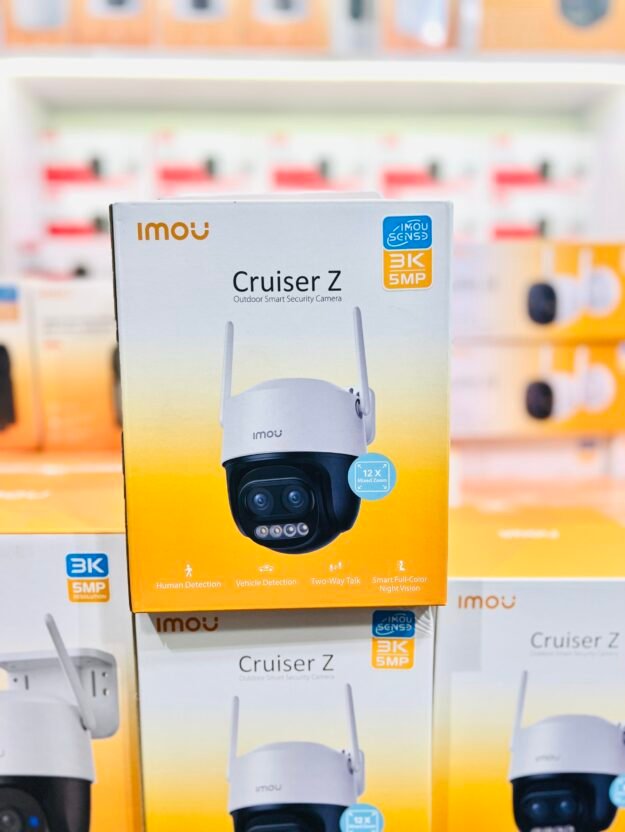
- IMOU CRUISER Z 12X Zoom outdoor PTZ Camera at Rs. 16,800. 5 MP 3K, dual lens with 12x hybrid zoom, 355° pan and 90° tilt, IR to 56 m, IP66 body.
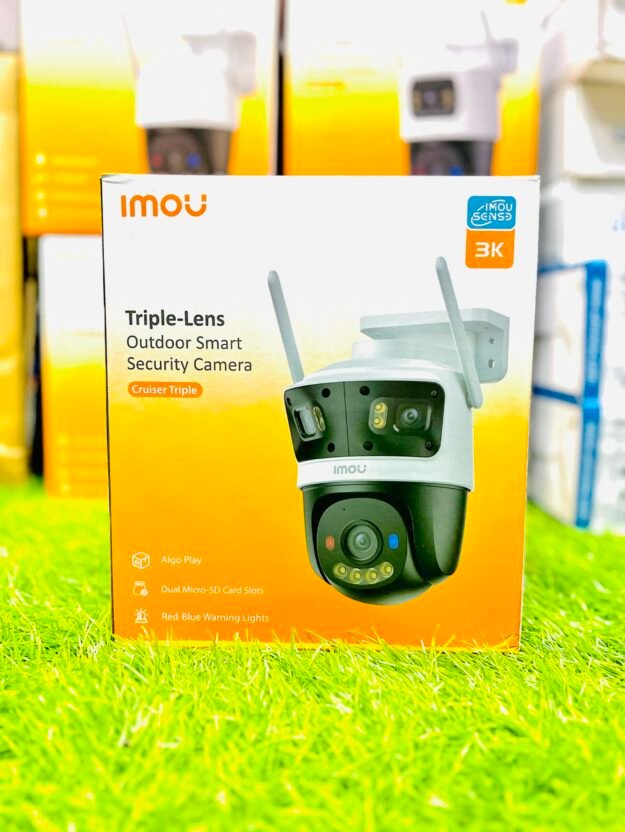
- Imou cruiser Triple-Lens outdoor smart security wifi camera 3K resolution 11MP 5+3+3 MP Model:IPC-TUP-11MOWED at Rs. 25,500. 11 MP total across three lenses, 355° pan, dual microSD slots up to 1 TB, IP66.
Add a microSD card and a power adapter to each, and you have a working wireless setup without a single video cable.
How does Wi-Fi strength change wireless camera performance?
Wi-Fi strength decides everything for a wireless camera: frame rate, night streaming and whether the app connects at all. A camera that shows full bars on your phone may still struggle if the phone was tested in a different room.
Test at the exact camera position, not near the router. Two rules help:
- Stay on 2.4 GHz for range. The Imou Cruiser Z and Cruiser Triple both use Wi-Fi 6 on 2.4 GHz, which is the band that pushes through walls better than 5 GHz.
- Keep one wall between the camera and the router where possible. Two thick brick walls plus a metal gate is where signal dies.
If the signal is weak at the gate, a wired camera or a small Wi-Fi access point near the camera is a better spend than a bigger antenna.
Which type suits a shop, a home and a farm?
Shops and homes usually do well with wireless, farms and large compounds usually need wired. The deciding factor is distance and how many walls sit between the camera and the router.
- Home: an indoor camera for the lounge or entrance, plus one outdoor PTZ for the gate. The Imou indoor model with two-way talk also works as an intercom.
- Shop: two or three wireless cameras covering the counter, the door and the stock room. Keep the router and cameras on a UPS so billing hours are covered.
- Farm or large plot: long runs and open ground favour wired cameras with a recorder, or wireless only where the router reaches. A PTZ with 12x zoom helps cover a wide yard from one point.
For doorbell-style coverage, see Doorbell Cameras.
Can you mix wireless and wired cameras on one system?
Yes, and many people should. A common setup is a wired recorder handling the fixed cameras and one or two wireless cameras covering spots where cable is impossible.
Mixing works best when you keep the viewing simple. Use the Imou app for the wireless cameras and the recorder’s app for the wired ones, or pick a recorder that supports ONVIF so both can be pulled into one view. The Imou Cruiser Z supports ONVIF, which helps here.
Plan storage as well. Wireless cameras record to microSD, so buy a card rated for continuous recording. Wired systems record to a hard drive, which is cheaper per day of footage.
Which should you buy first in Pakistan?
Buy one wireless camera first if you are unsure. It installs in an afternoon, needs no cabling, and tells you whether your Wi-Fi reaches the spot you care about.
Then decide. If the camera held a stable connection for a month, add more wireless units. If it dropped every evening, the site wants wired cameras or a network fix, and you have lost very little money finding out.
Either way, budget for a small UPS for the router and camera power, and a microSD card. Those two extras do more for uptime than upgrading the camera model. For a wider look at options, see the Cameras category, and our Cameras CCTV Buying Guide: IP Camera Setup and Price in Pakistan.
Products in this guide
 Imou indoor security cameras with video intercom 5MP 3K resolution Model:IPC-S2VP-5M0WR
 IMOU CRUISER Z 12X Zoom outdoor PTZ Camera
- Imou cruiser Triple-Lens outdoor smart security wifi camera 3K resolution 11MP 5+3+3 MP Model:IPC-TUP-11MOWED
Frequently asked questions
How do wireless cameras work?
A wireless camera connects to your Wi-Fi router and sends video over the network to a phone app. It still needs a power adapter, so only the video path is cable-free. Footage is usually saved to a microSD card inside the camera, and some models also offer cloud storage. You watch live or playback from anywhere with internet.
What is a Wi-Fi camera?
A Wi-Fi camera is a camera that joins your wireless network like a phone or laptop does. You pair it once with the app, enter your Wi-Fi password, and it appears in the app. From then on it streams over the network and records to its memory card. Most home wireless cameras sold today are Wi-Fi cameras.
Are wireless cameras good in load shedding areas?
They work if the camera and the router both stay powered. Put both on a small UPS and the camera keeps recording to its microSD card and stays reachable on your phone. Without a UPS, the camera may still record locally but you cannot watch it until power and the router return.
Do wireless cameras need internet or just Wi-Fi?
They need a Wi-Fi network, and most need internet for remote viewing on your phone when you are away. On the same local network, some apps still show live view without internet. Recording to a microSD card continues even when the internet is down, so footage is not lost.
How much do wireless cameras cost in Pakistan?
At College Road Electronics, the Imou indoor 5MP 3K intercom camera is Rs. 12,500, the Imou Cruiser Z 12x zoom outdoor PTZ is Rs. 16,800, and the Imou Cruiser Triple-Lens 11MP outdoor PTZ is Rs. 25,500. Add a microSD card and power adapter to each.
Can a wireless camera work without a router?
Only in a limited way. Some cameras can create their own hotspot for setup, and a few record to a card without any network. But for normal use, live view, alerts and playback on your phone need a router. Without one, treat the camera as a standalone recorder only.
