
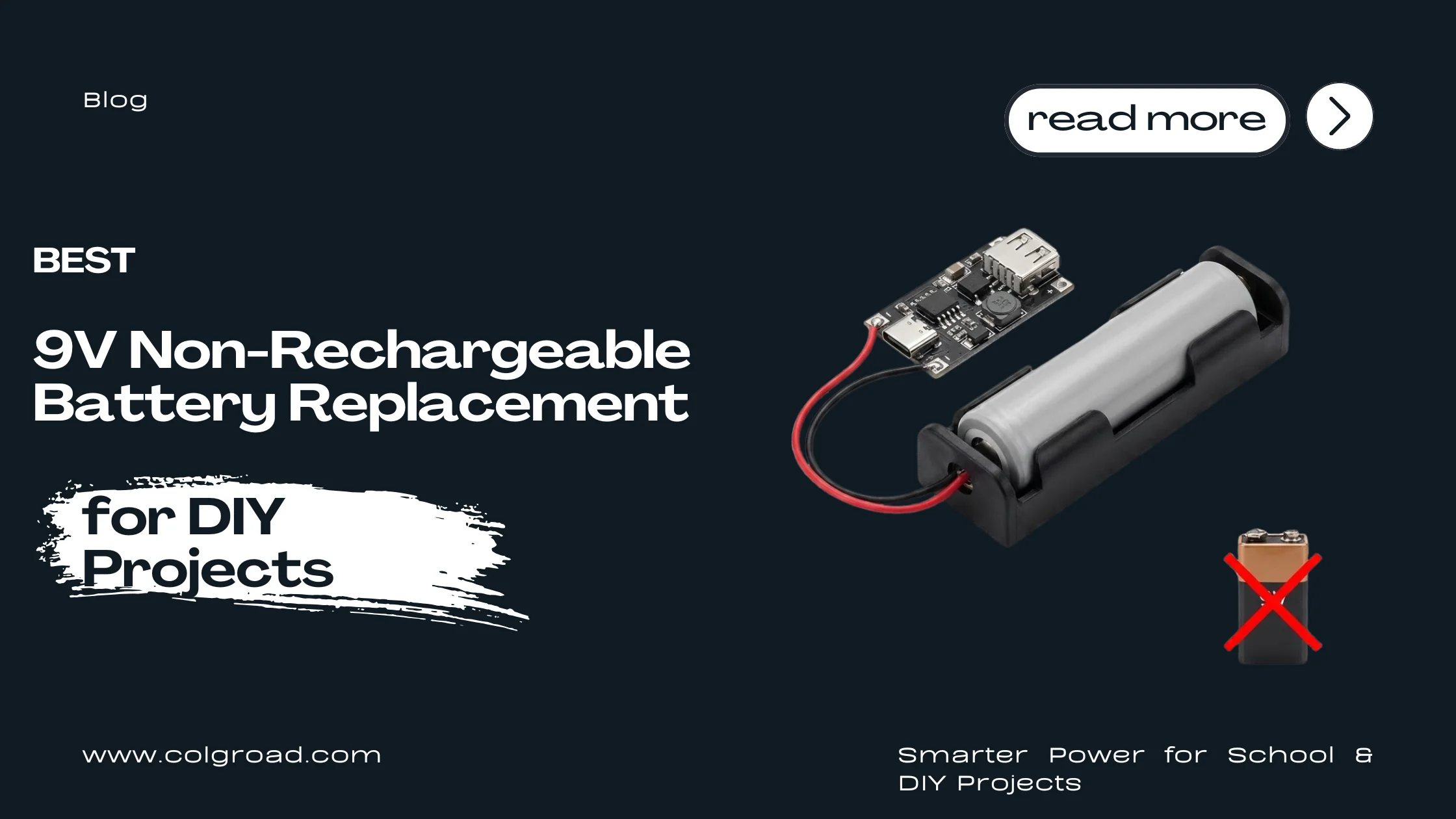
If you are a student working on Arduino, robotics, or electronics projects, you have probably used 9V batteries. They seem convenient at first, but they drain fast, cost money every time, and often die right before your project demonstration. There is a better solution: a rechargeable 18650 lithium cell with a USB boost converter. This guide will show you how to build a reliable, rechargeable power source that lasts longer and saves money in the long run.
The Problem with 9V Batteries
Let us be honest. 9V batteries are not ideal for most student projects. Here is why:
- Low capacity: A typical 9V alkaline battery has only 400-600mAh capacity. That is barely enough to run an Arduino with a few sensors for a couple of hours.
- Expensive over time: A decent 9V battery costs Rs 150-250. If you are testing your project regularly, you will go through several batteries in a month.
- Not rechargeable: Most 9V batteries are single-use. You use them once and throw them away.
- Voltage drops quickly: As the battery drains, the voltage drops, which can cause your project to behave unpredictably.
- Wasteful: Throwing away batteries is bad for the environment.
Students often face the frustration of their project failing during a demonstration simply because the 9V battery died. This is completely avoidable.
The Better Solution: 18650 Cell + USB Boost Converter
The 18650 lithium-ion cell is the same type of battery used in laptops, power banks, and even Tesla cars. When paired with a Type-C USB boost converter module, it becomes a perfect rechargeable power source for your projects.
Why This Combination Works
- High capacity: A single 18650 cell typically has 2000-3500mAh capacity. That is 5 to 8 times more than a 9V battery.
- Rechargeable: You can recharge it hundreds of times using any Type-C phone charger.
- Stable 5V output: The boost converter provides a steady 5V regardless of the cell's charge level.
- Cost effective: After the initial investment, you spend almost nothing on power for years.
- Reliable: No more sudden power failures during demonstrations.
Components You Need
Here are the three components required to build your rechargeable power solution:
1. Type-C USB Step-Up Boost Converter Module 5V 2A
- Input: 2.5V to 4.2V DC (perfect for single 18650 cell)
- Output: Stable 5V DC
- Max current: 2A
- USB Type-C port for charging
- Built-in over-current and short-circuit protection
Price: Rs 150
Buy Boost Converter Module2. 1x 18650 Cell Holder
- Secure spring-loaded connection
- Pre-soldered wires for easy connection
- Standard mounting holes
- Durable construction
Price: Rs 50
Buy 18650 Cell Holder3. Lithium Ion 1-Cell Battery Holder Shield V3 (Alternative Option)
- All-in-one solution with built-in charging and boost circuit
- USB output for direct connection
- Micro USB charging port
- Compact design with 18650 holder included
Price: Rs 650
Buy Battery Shield V3Tip: If you want the simplest setup with minimal wiring, go for the Battery Shield V3. If you want a more budget-friendly option and do not mind basic wiring, use the Boost Converter + Cell Holder combination.
Cost Comparison: 9V Battery vs 18650 Solution
Let us calculate how much you save over one year of regular project work:
| Factor | 9V Alkaline Battery | 18650 Rechargeable Setup |
|---|---|---|
| Initial Cost | Rs 200 per battery | Rs 200 (Cell Holder + Boost Converter) |
| Capacity | 400-600mAh | 2000-3500mAh |
| Recharge Cycles | 0 (disposable) | 500+ cycles |
| Cost per Year (weekly use) | Rs 10,000+ (50 batteries) | Rs 200 (one-time) |
| Runtime per Charge | 2-4 hours | 10-20+ hours |
| Environmental Impact | 50+ batteries in landfill | Zero waste |
Save Over Rs 9,800 Per Year
Plus, you get longer runtime and zero battery waste.
How to Wire the Components
Setting up your rechargeable power source is simple. Here is how to connect everything:
Option A: Boost Converter + Separate Cell Holder
Wiring Diagram
| From | To |
|---|---|
| 18650 Holder RED wire (+) | Boost Converter IN+ pad |
| 18650 Holder BLACK wire (-) | Boost Converter IN- pad |
| Boost Converter OUT+ (5V) | Your project VIN or 5V pin |
| Boost Converter OUT- (GND) | Your project GND pin |
Steps:
- Insert your charged 18650 cell into the holder. Make sure the positive (+) end matches the holder's positive terminal.
- Connect the red wire from the holder to the positive input pad of the boost converter.
- Connect the black wire to the negative input pad.
- The boost converter's USB-C port can be used to charge the cell directly.
- Connect the 5V output to your Arduino or project.
Option B: Battery Shield V3 (Easiest)
If you are using the Lithium Ion Battery Holder Shield V3:
- Insert your 18650 cell into the built-in holder on the shield.
- The shield has clearly labeled 5V and GND output pins.
- Connect these directly to your Arduino or project.
- Charge the cell using the micro USB port on the shield.
That is it. No complicated wiring needed.
Projects That Work Great with This Setup
This rechargeable power solution is perfect for a wide range of student projects:
- Arduino Projects: Uno, Nano, Mega all work perfectly with 5V input
- Robotics: Line followers, obstacle avoiders, Bluetooth cars
- IoT Projects: ESP8266, ESP32 based sensors and monitors
- LED Projects: Strips, matrices, decorative lighting
- Sensor Projects: Weather stations, security systems, motion detectors
- School Science Fair: Any electronics demonstration
- Final Year Projects: Reliable power for extended demonstrations
Pro Tip: For projects that need more than 2A current (like robots with multiple motors), you can use two 18650 cells in parallel for double the capacity without changing the voltage.
How to Charge Your 18650 Cell
Charging is simple and convenient:
With the Boost Converter Module:
- Keep the 18650 cell in the holder.
- Connect any Type-C phone charger to the module.
- The built-in charging circuit will safely charge the cell.
- Charging a fully depleted cell takes about 3-4 hours.
With the Battery Shield V3:
- Connect a micro USB cable to the shield.
- The onboard LED indicates charging status.
- Once fully charged, the LED will change color or turn off.
Safety Note: Always use genuine 18650 cells from reputable brands. Never use damaged or swollen cells. The boost converter has built-in protection, but proper handling is still important for safety.
Frequently Asked Questions
Can I use this setup to replace a 9V battery directly?
Yes and no. This setup provides 5V, not 9V. However, most Arduino boards and common electronic components actually run on 5V internally. When you connect a 9V battery to Arduino's barrel jack, it gets regulated down to 5V anyway, wasting energy as heat. By using 5V directly, you get more efficient power delivery.
How long will the 18650 cell last on a single charge?
It depends on your project's power consumption. For a typical Arduino with a few sensors drawing 100mA, a 2500mAh cell will last about 20-25 hours. Compare that to 4-6 hours with a 9V battery.
Can I use any 18650 cell?
Yes, any standard 18650 lithium-ion cell will work. Popular options include Samsung, LG, Sony, and Panasonic cells. Avoid very cheap unbranded cells as they often have lower actual capacity than advertised.
Is this safe for school projects?
Absolutely. The boost converter module has built-in over-current protection, short-circuit protection, and thermal protection. As long as you use a proper cell holder and do not damage the cell, this is safer than many alternatives.
What if my project needs more than 5V?
For projects requiring higher voltage, you can use a different boost converter module that outputs 9V or 12V. The same 18650 cell and holder can be used with different converter modules.
Where to Buy These Components
All these components are available at Colgroad with fast delivery across Pakistan:
Complete Shopping List:
- Type-C USB Boost Converter 5V 2A - Rs 150
- 1x 18650 Cell Holder - Rs 50
- OR Lithium Ion Battery Shield V3 - Rs 650 (all-in-one)
Conclusion
Switching from disposable 9V batteries to a rechargeable 18650 setup is one of the smartest upgrades you can make for your electronics projects. You get longer runtime, more reliable power, significant cost savings, and an eco-friendly solution that will serve you throughout your academic journey and beyond.
For just Rs 200 (cell holder + boost converter) or Rs 650 (all-in-one shield), you can stop worrying about battery costs and focus on what really matters: building awesome projects.
Have questions about which setup is right for your project? Drop a comment below or contact us on WhatsApp for personalized recommendations.