
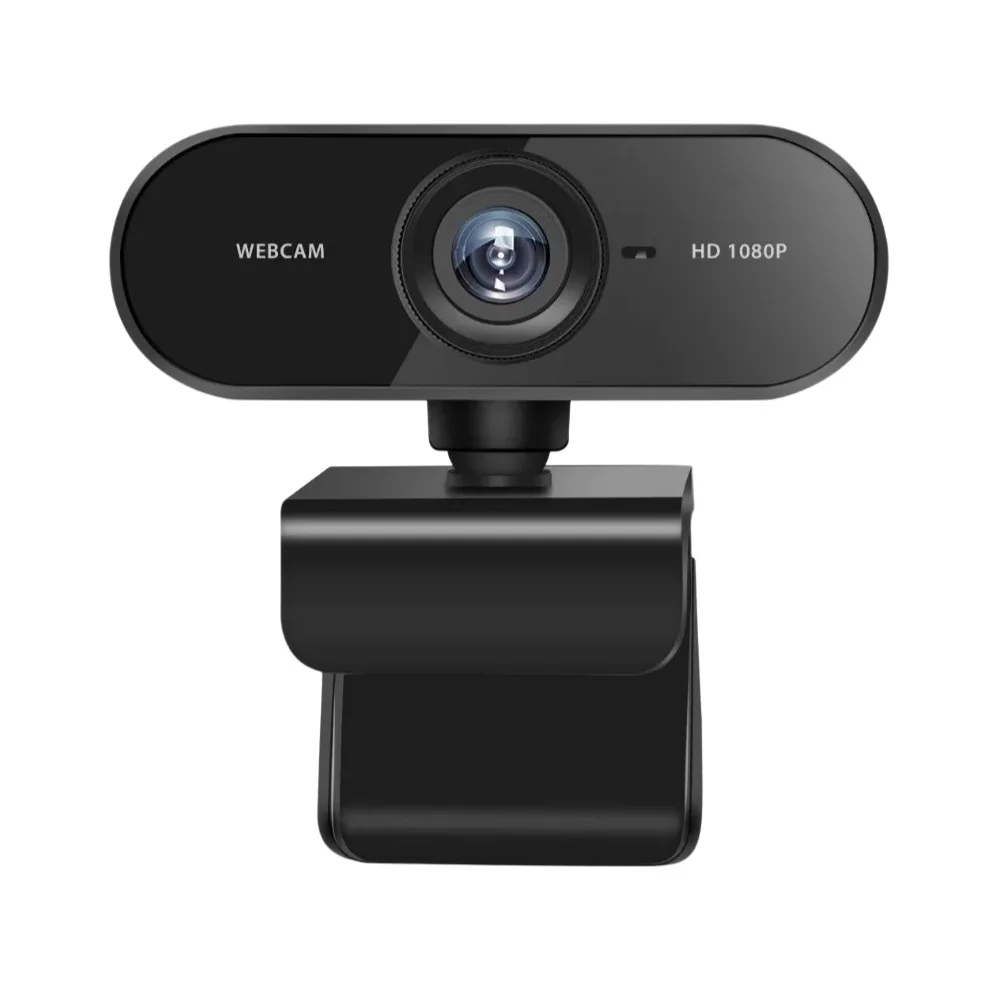

High Resolution USB Webcam Full HD 1080P
The High Resolution USB Webcam Full HD 1080P delivers crisp, professional-quality video for online meetings, video calls, live streaming, recording, and remote learning. Engineered for reliable everyday use with plug-and-play USB connectivity, this webcam is a versatile choice for home, office, and content creation setups.
Key Features
- Full HD 1080P (1920 × 1080) for sharp, detailed images and clear video calls.
- High-quality image sensor that preserves accurate colors and improves low-light performance.
- Plug and play USB interface (USB 2.0) for quick setup with most operating systems.
- Built-in microphone to capture clear audio for conferencing and recording.
- Frame rate up to 30 fps for smooth motion in video calls and streaming.
- Focus modes include auto or fixed focus depending on the model.
- Compact clip or stand mount for secure attachment to monitors or placement on surfaces.
Technical Specifications
- Resolution: Full HD 1080P (1920 × 1080)
- Frame Rate: Up to 30 fps
- Interface: USB 2.0
- Focus Type: Auto / Fixed Focus (model dependent)
- Microphone: Built-in
- Cable: Integrated USB cable (length may vary)
- Mount Type: Clip / Stand mount (typical)
- Color: Black (may vary)
Applications
- Online meetings and video conferencing using platforms such as Zoom, Teams, and Google Meet
- Remote learning and online classes for teachers and students
- Live streaming and content creation on Twitch, YouTube, and social media
- Video recording, vlogging, and tutorials
- Desktop and laptop use for telework and personal calls
Advantages
- Clear and smooth video quality that enhances professionalism on calls
- Simple installation with USB plug-and-play, no complex drivers for most OS
- Compact and lightweight design that fits most workstations and laptops
- Suitable for both professional and personal use including streaming and teaching
Compatibility and Setup
This USB Webcam is compatible with Windows, macOS, and many Linux distributions that support standard USB video class devices. To set up:
- Plug the integrated USB cable into an available USB port.
- Allow the operating system to detect and configure the webcam automatically.
- Select the webcam as the video and audio source inside your conferencing or streaming application.
- Adjust the mount angle and camera position for optimal framing.
Safety and Usage Notes
- Avoid exposing the camera lens to dust or moisture.
- Do not bend or pull the USB cable excessively to prevent damage.
- Use a stable surface or secure mount for best video quality and to avoid shaking.
Frequently Asked Questions
- Do I need drivers? Most operating systems support this webcam as a plug-and-play USB device and do not require additional drivers.
- Can I use it for live streaming? Yes. With 1080P resolution and up to 30 fps, it is well suited for streaming and content creation.
- How is low-light performance? The high-quality image sensor improves performance in dim environments, but adding soft lighting will yield the best image.
Note: Images are for illustration purposes only. Actual product design, lens type, and appearance may vary slightly.
Category: Accessories



Reviews
There are no reviews yet